It just works.
:
Relatively Cheap
Light weight
Mostly very good sound quality
Very solid connectivity
Mostly solid build
Physical Buttons
Decent case
Battery life is very respectable for the price
:
Some VERY quiet background hissing
Ear-hooks are not detachable
Batteries not user-serviceable
Case is a little difficult to open
Announcement voice is a bit too loud
Latency even in performance mode is still a touch sluggish, but tolerable for videos.
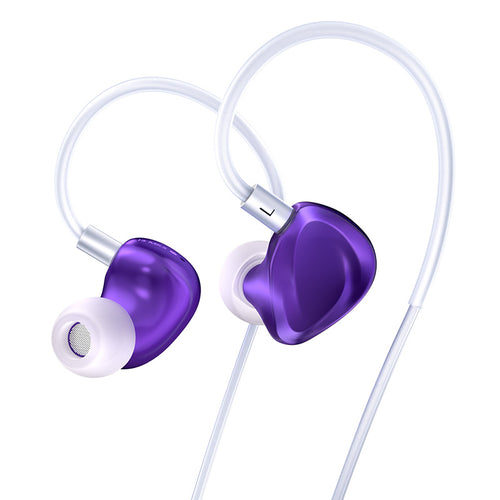
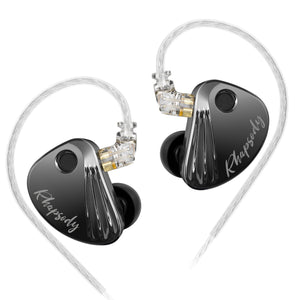
KBEAR - “Xuan Ge” 玄戈 - BT15 Pro
Xuán Gē, meaning ‘weapon’ is proudly displayed on the front of the packaging of the BT15 Pro, an “HD Bluetooth Upgraded Ear-hook”.
These are on sale now for around $30 and there’s a few good reason why you might want to get something like this.
Some more product info can be found here (non affiliate link 40% OFF)
Introduction & Specifications
In the budget space for Bluetooth IEM adapters, KZ has been the dominant force for a couple of years, so it’s no surprise that the BT15 Pro appears to be an OEM of the KZ AZ09, but since the BT15 Pro is around $6 cheaper, that already may be enough to hold your attention.
To cover the basics, the BT15 Pro uses:
- AAC Codec (lossy)
- Bluetooth version 5.4
- Range of 15m
- 400mA case battery
- 2 pin connector
- Advertised ear-hook battery life of 6 hours (without case battery)


Build, Design & Ergonomics
The first thing you need to know is that the ear-hook wires are not detachable from the modules. This is unfortunately something you can only start expecting to see from more expensive products like the iFi Go Pod Air.

The wires have a good solid and springy feel about them, so I would expect with careful use they will outlive the batteries inside the modules, but it’s still something to be aware of.
Each side has a physical button, so there is no risk of accidentally engaging the controls, which is something I’ve come to really dislike about touch controls on TWIEMs and other Bluetooth adapters.
It’s laughable that sometimes you have to get the cheaper option to get the functionality you prefer.
I’ve always been a big fan of manual, analogue controls, and I strongly feel that the digitalization of everything in handheld devices, cars and even household appliances really is the ents***tification of the ergonomic and intuitive user-experience.
The adapter modules are very light at an advertised weight of 4.9g each, although my digital scale recorded a lighter weight of 4.65g!
Using the modules in the case is fairly straight forward once you figure out that the sides are reversed.
This is obviously the superior orientation for storage, 'pocketability' size and display, so being reversed is only a tiny inconvenience.
I think I actually prefer the increased portability and faster ease of use over the iFi Go Pod Air for example, which orients the IEMs in the correct position, but is slower to use because of the awkward sideways mounting, and the more bulky case.
Realistically, there isn’t a big difference in speed of usability, but the modules just snap in faster in the BT15 Pro case, and sometimes I find myself faffing around with the position of the IEMs in the Go Pod Air case.
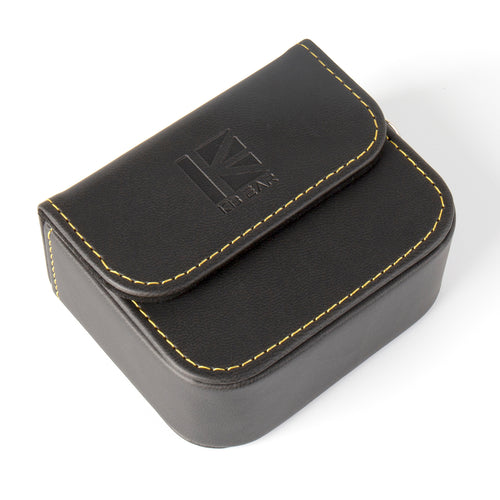
The case is just about what you’d expect at this price.
It’s plastic, light, not super easy to open and the lid is a little floppy, but it’s good at snapping shut, will stay magnetically closed from small falls and has a good low tolerance in the hinge, so it actually feels a little more premium that you might expect.
When trying out different shape IEMs, I was able to use a range of different sizes, however the largest IEMs I tested, like the Ziigaat Horizon and Kiwi Ears Astral didn’t sit in my ears perfectly because the ear-hook cables are quite stiff, but I was still able to use them with a little readjustment and tip rolling.
With all medium size and smaller IEMs, there were no issues with fit for me.
Features & Usability
The button controls are:
- Single press = Pause/Play or Answer Call/Hang-up
- Double press Left = Previous Track
- Double press Right = Next Track
- Hold one button for 2 seconds – Activate Assistant
- Hold both buttons for 3 seconds – Turn on
- Hold both buttons for 6 seconds – Turn off
- Triple press Right button = Cycle between ‘High Performance Mode’ and ‘Standard Mode’
The instruction manual falsely states that it should cycle between three modes, Normal, Gaming and Spatial Sound Effects modes, but in reality there are only two I already mentioned.
• Standard Mode is the battery saving option, it adds nothing to the sound and also has high latency, so it’s quite jarring if you try to watch videos with spoken word as there is a significant delay.
• High Performance Mode is, according to KBEAR supposed to add some effects like EQ and improvements in spatial perception. It also consumes more battery power at the cost of much lower latency which makes watching videos tolerable.
I didn’t hear any other difference between the two modes, and the miniDSP EARS was not able to measure any EQ change between the two modes either.
Yellow = Battery Low Warning
Green = Charging Finished
Red = Charging

Connectivity
The repeatable connectivity reliability was very high.
So far I’ve only had two extremely tiny drop outs in one ear in very busy areas outdoors, but it was so minor, like a millisecond of no sound in one ear that it really wasn’t a bother, and so far it hasn't happened again.
One thing I really like is that they will always auto-connect to my smartphone as soon as I take them out of the box, provided the Bluetooth is turned on.
For all intents and purposes, it just works.
Sound
When opening the case, you will immediately hear “Turn On”, followed by “Connected”, although I don’t know what she is connecting to, because this happens even if my Bluetooth device is turned off.
She will say it again anyway once its actually connected, so it apparently does not get in the way of actual connectivity.
While connected, if Bluetooth is disabled on your source, the module voice will say “Disconnected”.
When powering on and off, she will say “Turn on” and “Turn off”.
It’s slightly annoying, but her voice is actually really low-res and quite loud, so I would generally recommend using these adapters with less sensitive IEMs, or you might have to get in the habit of using these out of your ears until you’re ready to start listening to music.
Comparison
Compared to the iFi Go Pod Air, I felt that the BT15 Pro had a little less authority in the sub-bass region. Perhaps it doesn’t put out as much power and somehow it ends up sounding less full-bodied, but it’s basically a tiny 5% difference that shouldn’t really bother anyone, especially for this price.
The BT15 Pro also has less connectivity problems and dropouts.
Final Thoughts
The BT15 Pro is superb.
It is functionally sound, intuitive and simple.
The lack of detachable ear-hooks and their lack of total flexibility is the only thing to be mildly concerned about the build, but at this price I’m not complaining.
I would however prefer if the voice notifications were quieter.
Final Feelings
The unimpressive and lazy packaging belies what’s within: a well rounded, solid product.
I don’t hate anything about it and had no problems using it.
This is an easy recommendation to all but the most demanding audiophools.